Login
Location: Login Screen (https://www.devicehost.net/accesslaunchpad/)
The Drawbridge Login Screen allows authorized users to securely access their system from any supported device.
Drawbridge supports the following browsers:
•Microsoft Edge
•Google Chrome
•Safari
|
Microsoft Internet Explorer is not supported and may produce unexpected UI behavior. |

Forgot Password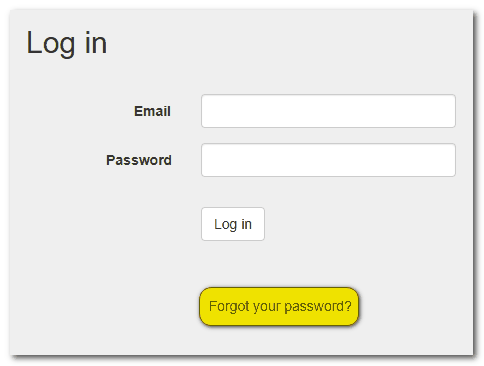
If you do not remember your password:
•Click the Forgot Password link at the bottom of the Login Screen.
•Enter your email address (must match your User account).
•Follow the prompts in the password reset email.
Security Features
Drawbridge includes the following login security protections:
•Strong password enforcement
•Minimum password length requirements
▪At least 8 characters long
▪Contain letters and numbers, including at least 1 upper and lower case letter
▪Contain at least one special character (!@#$%^&*()
•Protection against too many unsuccessful login attempts
•Logging of failed login attempts
•Automatic reset of failed login counter upon successful login
•Ability for users to change expired passwords
If too many unsuccessful login attempts occur, the system may temporarily restrict access.
Mobile Access
Drawbridge automatically adapts to screen size and device type.
•No separate app is required.
•The full application is available on desktop, tablet, and mobile devices.
•The interface adjusts automatically for optimal viewing.